The Web App is a free, no-installation tool within our system designed for drivers to manually update load statuses and locations. Unlike the Mobile App, which offers real-time GPS tracking for a fee, the Web App keeps things simple and cost-free, perfect for operations that don’t need constant monitoring.
Key Benefits:
Runs in any browser.
No tracking fees.
Easy manual updates for location, status, and Proof of Delivery (POD).
Quick Setup: Default Dispatch Option
To use the Web App by default:
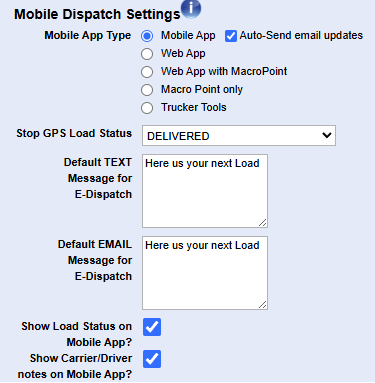
Go to Configuration Options under Settings.
Scroll down and find Mobile Dispatch Settings (use Ctrl F).
Have Web App selected and save before exiting Settings.
This ensures loads are dispatched via the Web App, avoiding extra costs. If you have the Mobile App saved as your default, then you can still manually change it when you send your Mobile Rate Con.
Dispatching a Load Made Easy
Here’s how to send a load to a driver:
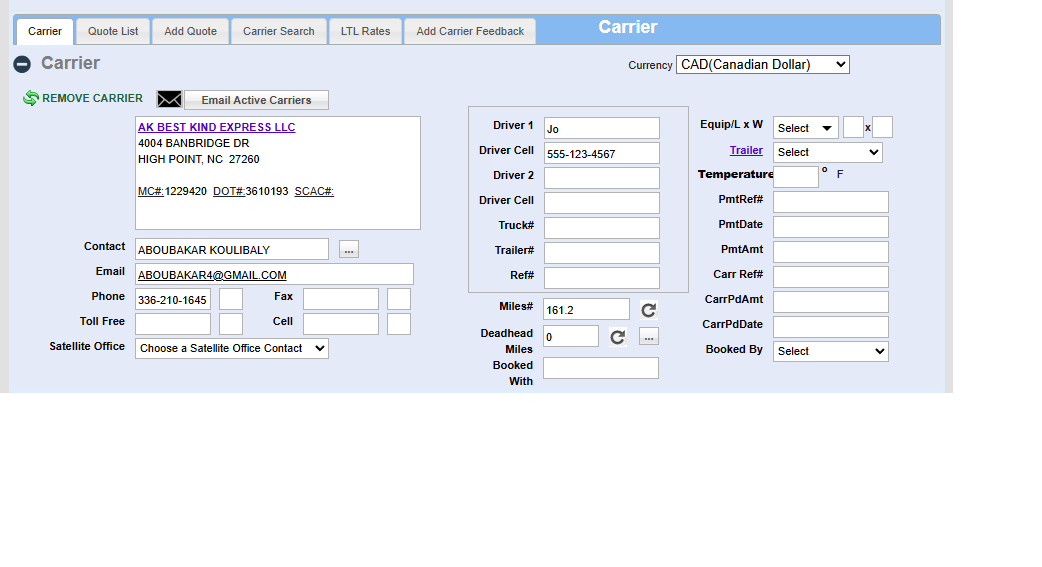
Open the load in the TMS.
"No GPS Data Found" in red at the top of the load indicates that there is no mobile tracking assigned to the load.
"Driver App NOT Installed" in red at the top of the screen indicates the driver has not installed the Mobile App
Go to the Carrier section of the load, confirm and save driver info (e.g., Name: Sarah, Phone: 555-1234).
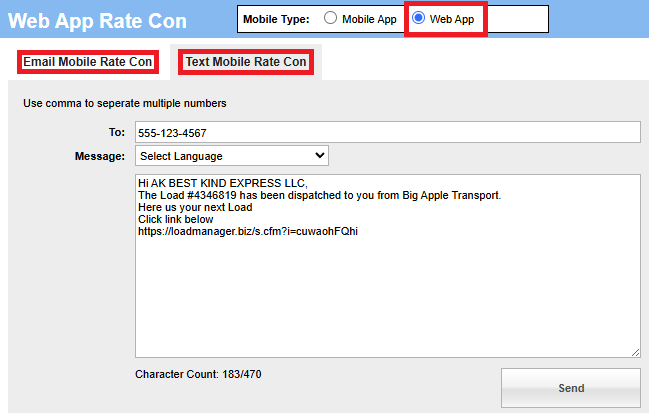
Click Mobile Rate Con
In the new window that will open make sure Web App is selected next to Mobile Type.
Two options will appear: "Email Mobile Rate Con" and "Text Mobile Rate Con" choose based on the driver's contact information
The driver gets a text or email with a browser link—no app download needed. You can edit the message that will be sent with the link if you need.
How Drivers Use the Web App
Once the driver clicks the link, here’s their workflow:
Getting Started
Open link in their browser.
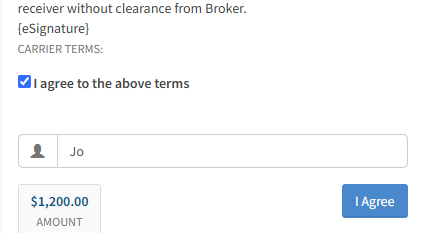
Check "I agree to the above terms"
Enter their name.
Their pay for the load will be displayed to the left of the "I Agree" button.
Hit the blue "I Agree" button to proceed.
Note: See the "Customizing Carrier Settings" section for how you can change the setting so the driver doesn't have to do these first steps or see the pay amount.
Sharing Location
Allow browser location access.
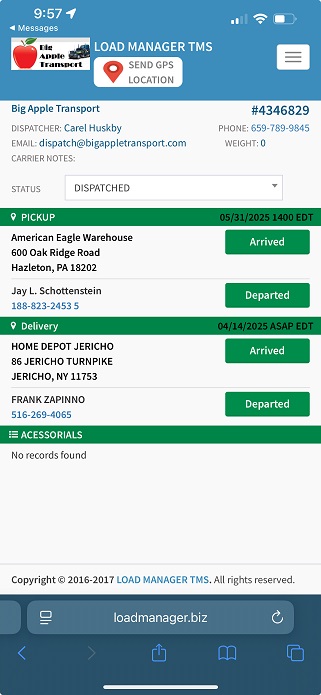
Tap Send GPS Location for a manual update.
Updating Status
Select options like Arrived, Departed, or Delivered.
Fix mistakes by editing the status or time directly.
Uploading POD
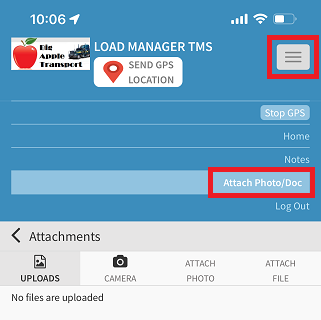
Hit the white menu button to see drop down.
Use Attach Photo/Doc to snap and upload the signed bill of lading.
How the Web App Looks:
Tracking Updates in the TMS
After driver actions:
Refresh the load to see the updated status and map location.
Watch for a caution sign—it signals an invalid address; fix it for better ETAs.
Check PODs in View/Attach Files.
Set up email notifications (Settings > Load Status > Default Emails) to stay informed without check calls.
Customizing Carrier Settings
Adapt the system to your drivers:
In the carrier profile, toggle Show Terms and Amount > Web or Mobile App:
Uncheck for employee drivers (hides load details).
Keep checked for owner-operators (shows terms/amount).
Skip the Mobile App Password unless extra security is critical—it can complicate access.
Invoicing Simplified
Post-delivery steps:
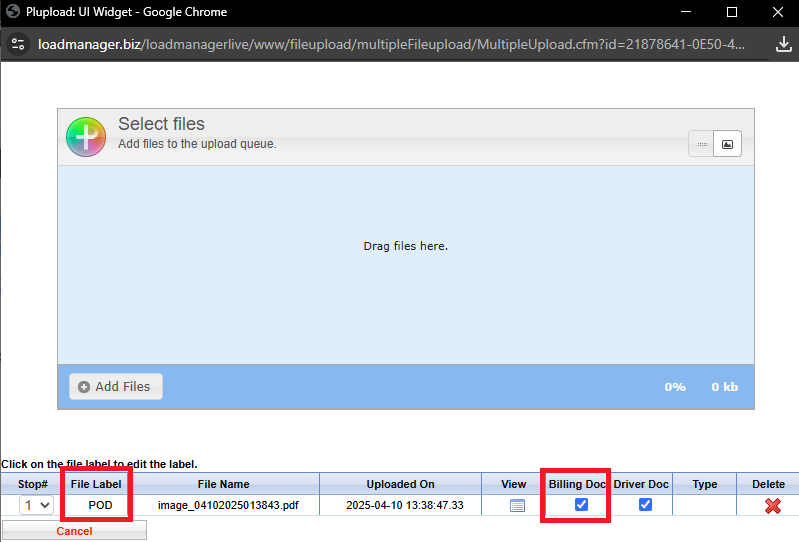
Ensure the uploaded file is labeled POD and marked Billing Doc.
Update the load status to POD or Invoice (if Invoice isn’t an option, check TMS settings).
Click the Black Envelope icon to send the invoice and POD via email.
Accurate labeling ties the POD to the invoice seamlessly.
Fixing Common Hiccups
Troubleshooting tips:
Location Fails: Drivers should enable browser location.
No Invoice Option: Confirm TMS settings with an admin.
Connectivity: A stable internet connection is a must.
Wrap-Up: Keep It Simple, Save More
The Web App delivers a straightforward, budget-friendly way to manage loads—ideal for manual updates and basic tracking. It cuts costs, skips downloads, and reduces phone calls with email alerts. Need real-time features? Check out the Mobile App for more.